๐ŸŽซ Solution ยท Tickets

The ticketing system that gets your operation off the spreadsheet.

Opening, triage, assignment and resolution of tickets in one place. With an organized queue, monitored SLAs and a full history, so you never lose a request along the way.

Support in English
ITIL Certified
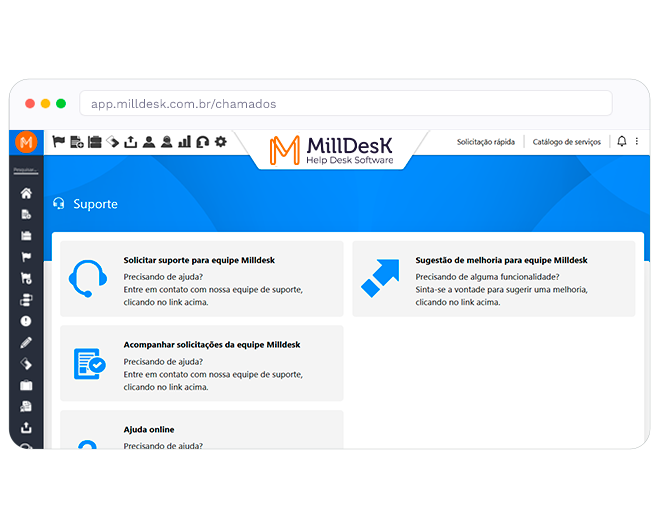
Milldesk support and ticket opening screen, with options to request support and follow tickets
In progress
3 tickets
Resolved today
12 tickets

๐ŸŽฏ Who it is for

Built for whoever handles requests
and wants to stop improvising.

Operations that outgrew the spreadsheet and the inbox, and need to organize who does what across any area.

Companies structuring processes

Small and mid-sized companies that need to structure support without investing in an enterprise tool.

Multi-area operations

Companies that need to organize requests from IT, HR, After-Sales, Facilities and Marketing in a single system.

Teams leaving Excel behind

Teams still tracking tickets in a spreadsheet, e-mail or WhatsApp that have lost sight of what is in progress.

Process managers

Coordinators and managers who need to measure productivity, spot bottlenecks and prove results to leadership.

โšก Before vs after

What changes when the operation
leaves the spreadsheet.

๐Ÿ˜ฉ Without a system

The situation today

  • Requests come in by e-mail and personal WhatsApp and vanish into the thread
  • Nobody knows the real queue; whoever shouts loudest gets served
  • Each customer's history lives in the agent's head
  • There is no way to measure team productivity โ€” everything runs "in the dark"
  • When someone goes on vacation, nobody can pick up the work
๐Ÿš€ With Milldesk

How it looks

  • Every channel becomes a trackable, numbered ticket
  • An organized queue with visible statuses: open, in progress, resolved
  • Complete history of the customer and of every ticket, forever
  • Dashboards with productivity per agent and per category
  • Full continuity: any agent can take over without losing context
๐Ÿš€ How to start

From spreadsheet to a professional system
in 3 quick steps.

Simple operations are up and running within 48 hours. No long training, no mandatory consulting.

01

Create your account

No mandatory call. In less than 2 minutes your instance is ready.

02

Set up categories and flows

Register ticket types, priorities and SLAs. Import users from AD or add them manually.

03

Start working tickets

Receive tickets by e-mail, WhatsApp, portal or API. Everything shows up in the queue and on the dashboard.

More than 1,000 companies trust Milldesk
Jungheinrich - Milldesk customer Grupo Tecar - Milldesk customer Maxi Rubber - Milldesk customer Eco Medical Center - Milldesk customer Ventos de Sรฃo Zacarias - Milldesk customer Estaรงรฃo Conhecimento - Milldesk customer
โš™๏ธ Essential features

Features built for
people who really manage tickets.

Features selected for your operation. See all 38 features โ†’

Unified queue

See every ticket in one place, sorted by SLA, status and priority. Quick filters by department and agent.

Multichannel opening

E-mail, WhatsApp, portal, Fast Ticket and API. All centralized in the same inbox.

Automatic triage

Automatic categorization rules by keyword, sender or requester domain.

SLA per category

Different deadlines per type, priority and customer. Automatic alerts before a breach.

Parent/child linking

Group tickets tied to the same incident. Resolve once and every child ticket updates.

100+ ready-made reports

Volume per category, average time per agent, satisfaction, SLA. All without needing BI.

"
Versatile. We use it in IT, After-Sales and Facilities. More organization, transparency and better internal support.
YB
Yan Baatsh Jungheinrich
โ“ Frequently asked questions

Questions about
ticketing systems.

What is a ticketing system?
A ticketing system is software that organizes the requests your team receives (support requests, questions, complaints, service requests) in a single trackable environment. Every ticket has a number, status, owner, deadline and history. It replaces scattered spreadsheets, e-mails and WhatsApp threads with a controlled, measurable flow.
Is a ticketing system only for IT?
No. Although it is widely used in IT, Milldesk serves any area: After-Sales, HR, Facilities, Procurement, Finance, Marketing. Each department can have its own flows, SLAs and categories on the same platform. Companies use it both to open internal tickets between departments and to serve external customers.
How do I migrate my ticket spreadsheet to Milldesk?
Migration is simple and our team helps. You can import users from Active Directory or add them manually, set up the categories you already used in the spreadsheet, and start logging new tickets. Old history can be imported via CSV if needed. Support offers a free 30-minute onboarding session.
Does the system support multiple departments with different flows?
Yes. Each department can have its own categories, SLAs, opening forms, approval flows and permissions. An IT ticket follows one path; an HR ticket follows another; a Facilities ticket has its own workflow. All in the same account, with a consolidated view for leadership.
๐Ÿ† ITILยฎ Certified ยท 21 years

Ready to organize your
tickets?

Try Milldesk free for 7 days. Replace the spreadsheet with a professional system, with an organized queue and monitored SLAs.

Talk to us