How to Conquer a successful career in IT

Businessman and business sketch

To build a successful career in IT , you need to be the kind of professional who never stops: being in constant learning, have a taste for taking risks and challenges, and do not rest in the search for answers when the subject is unknown. Below, we give some tips on how to build a professional profile with all these credentials :

Always try to get the answers

Your boss needs someone that can filter information, to find hidden assets in projects and know guide you in unfamiliar territory. So be the person who knows how to find these answers or know who or where to find them. Have the courage to point out the flaws in the proposed plans, flexibility to work in teams in problem solving and communication skills to tell your boss and staff when a problem arises.

Do not allow yourself to take on challenges

Nobody likes who does his job half done, much less to fix what he did. The IT professional needs to take responsibility and not take it may disqualify you as a professional. Any good leader is able to see this farce, and if you are the leader stay tuned, because having someone on your team with this behavior may be a shot in the foot.

Broaden your knowledge

One of the areas that is most evolving IT industry is changing and therefore you need to be always updated . Visit blogs , listen to podcasts , participate in webinars and whitepapers read , because all these tools bring valuable information for your everyday life and still keeps you updated . You do not need to know everything , but you need to have at least an overview of the changes in your area.

Try to keep your knowledge base constantly expanding. If you do not like to seek and learn new knowledge, is in the wrong place .

Source : http://itweb.com.br

5 attitudes for using the cloud as a competitive advantage

cloudsCompanies that have so far managed to create new interactions with the cloud have at least one thing in common: they use their ability rather than investing in development and infrastructure. Perhaps this is the best way to explore the cloud , which can be challenging, as any evolving technology.

Learn 5 important steps that can help you adopt cloud computing:

1 – Always plan: For the cloud does not become just a solution in search of a problem, the cloud responsible for strategies must develop them as part of business strategy . The objective to be set must the business goal, as well as the opportunities and challenges that the cloud planning must have.

2 – Create a IT culture: If your company is not ready to provide cloud services , stay tuned to uncontrolled deployments, which can expose your company to risk and deter potential future investments in cloud. The role of IT at the moment is to make the cloud easier to set up , talking to the company and guiding it in implementations.

3 – Adopt criteria: consider product demonstrations designed to evaluate cloud options available . Factors such as user experience , cost predictability and transparency of the use of user information is a basic criteria today.

4 – Surround territory: the latest features can be accessed through the cloud without complex upgrades or painful therefore sets out the responsibilities between IT and the business to make decisions. Look distinguish local decisions of corporate and defines the architecture and agile teams.

5 – Be ready for change: adapt to changing is a skill that IT professionals need to handle and provide adequate resources. All change management requires a new dimension, develop a strong communication network and prepare for pending changes.

Milldesk Help Desk Software at Gartner Symposium

help desk software milldesk

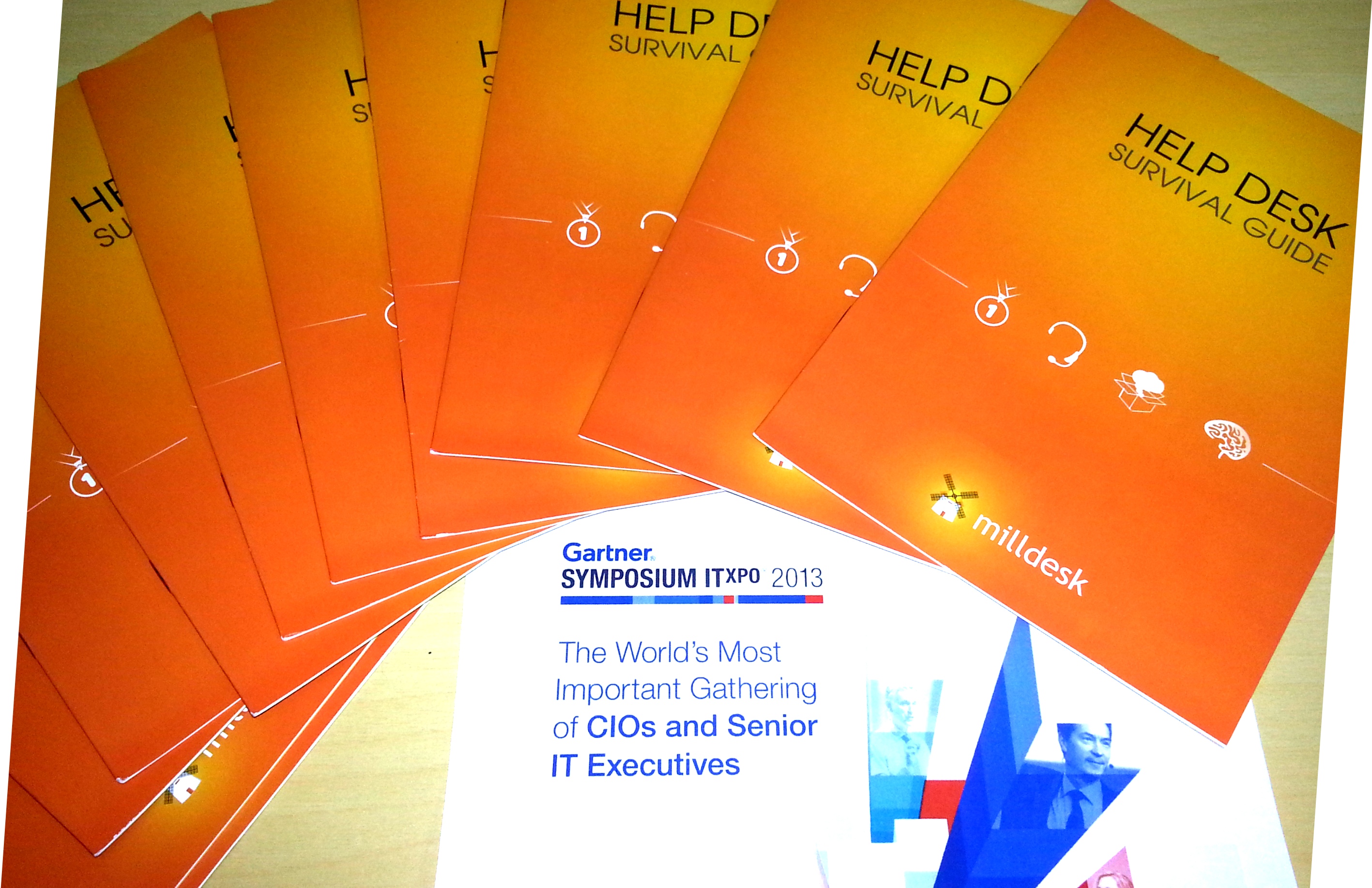
Milldesk Help Desk Software was at Gartner ITxpo Symposium 2013 in Orlando, USA. Make a trial, learn more about our software!

What exactly is a Help Desk/Service Desk?

helpdesk (1)

A service desk is a resource intended to provide the customer or end user with information and support related to a company’s or institution’s products and services. The purpose of a help desk is usually to troubleshoot problems or provide guidance about products such as computers, electronic equipment, food, apparel, or software. Corporations usually provide help desk support to their customers through various channels such as toll-free numbers, websites, instant messaging, or email. There are also in-house help desks designed to provide assistance to employees.


What is ITIL?

itil_v321

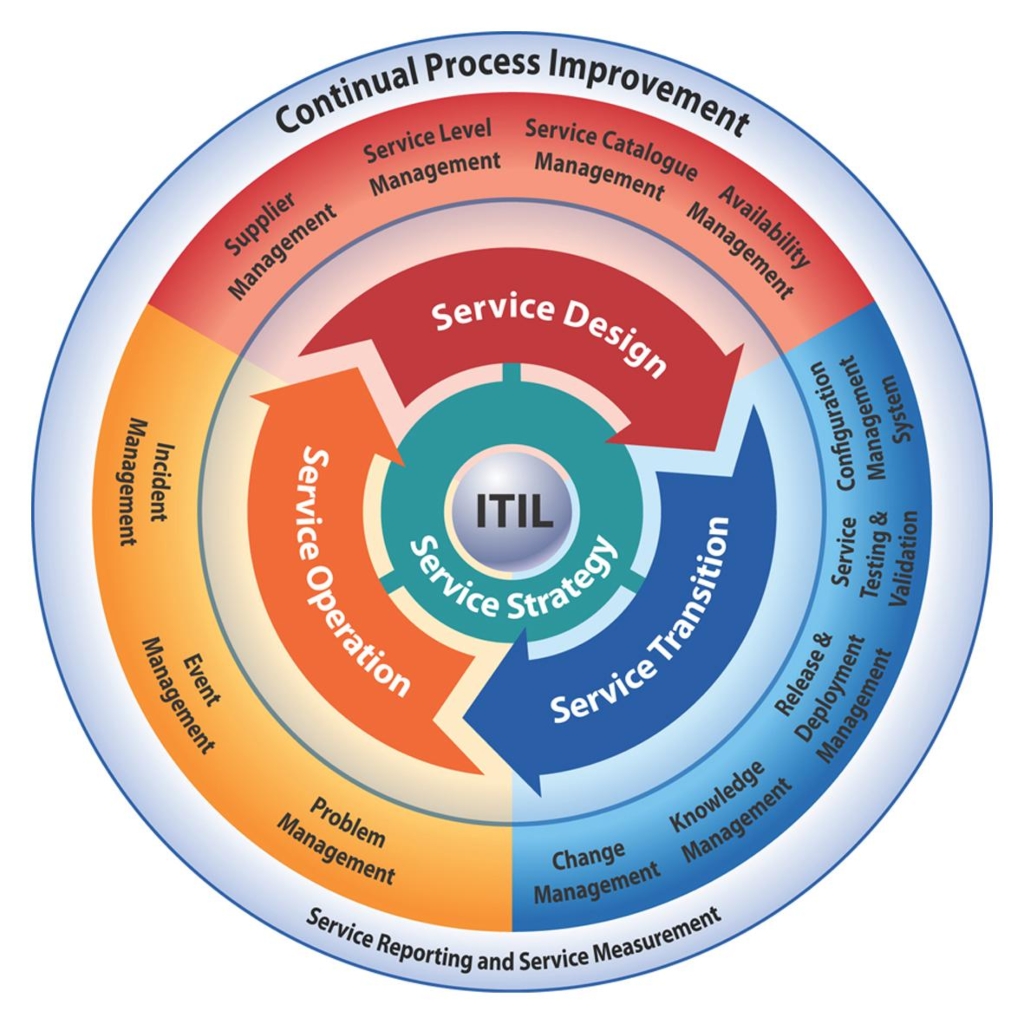
The Information Technology Infrastructure Library (ITIL) is a set of practices for IT service management (ITSM) that focuses on aligning IT services with the needs of business. In its current form (known as ITIL 2011 edition), ITIL is published in a series of five core publications, each of which covers an ITSM lifecycle stage. ITIL underpins ISO/IEC 20000 (previously BS15000), the International Service Management Standard for IT service management, although differences between the two frameworks do exist.

ITIL describes processes, procedures, tasks and checklists that are not organization-specific, used by an organization for establishing integration with the organization’s strategy, delivering value and maintaining a minimum level of competency. It allows the organization to establish a baseline from which it can plan, implement, and measure. It is used to demonstrate compliance and to measure improvement

Source: www.wikipedia.org

Star Wars Help Desk

Who would imagine they have a help desk too?

How to choose the right IT Help Desk software for your company

G

Choosing the right IT help desk software for your company is a very important decision. Choosing the wrong solution can bring additional problems for you, your employees, frustrated customers and even lose potential sales. It´s important to ensure that whatever solution you choose, it meets your present and future needs.

The basic features you need to look at any help desk solution are: identification and follow-up of the problem, knowledge base, and  communication.

Within the characteristic of “identification and follow-up,” you need to include: the type of information you want to keep within the system about the client with the problem, how do you identify the problem within the help desk system, how you show the different stages of the solution the problem and how you manage the resolution.

Ideally the help desk software allows you to present the information in a way that makes it easier to locate client related issues. It´s important that you can find and open unresolved issues, resolved issues, and be able to see the opening time of an incident of a specific client, and to follow up the information.

The tickets (incidents) of your help desk will probably be stored in specific categories. If your product requires a login and password to use, then you will probably create a category called “Forgot login,” and another called “Forgot password” to accompany these tickets.

Customers’ problems do not remain at the same stage from start to finish. You need a way to identify the stages of the tickets for different issues. Some examples might be “Pending”, “Waiting for Customer Response”, “Resolved” or “Closed.”

An important aspect of problem solving is the ability to get you into your current knowledge base for answers to frequently asked questions by customers, or similar solutions already resolved. Instead of wasting time solving an issue that someone has already solved in your company, you must be able to smartly search for opened and closed tickets in your help desk to find solutions and apply them to your current ticket.

The help desk software should contain a built-in communication tool. With the possibility of using sophisticated tools such as integration with calls via Smartphone or video conferencing, even something as simple as turning the information contained in the help desk e-mail marketing with just one click.

Stay away from help desk solutions that you need to copy information from a ticket and paste into a separate email. Integration with e-mail should be a basic function for any decent software help desk.

A good helpdesk software must also provide a way to allow one or more professional support team technician to help in finding a solution. There must be some ways for a person to document information on a ticket, and pass the ticket to another person who can help find a better solution.

What Help Desk Software will you choose?

Learn six quality techniques to help prevents service outages

The Information Technology sector is very important in a company’s productivity

panico-no-computador

The productivity of a company is directly proportional to the functioning of the Information Technology sector . A computer failure can delay  a project conclusion or whatever the work done by the company . The world is increasingly dependent on technology and its proper functioning is critical in everyday users . So it becomes necessary to constantly improve the helpdesk , which is responsible for preventing and eliminating computer incidents that could disrupt the businesses and compromising productivity . For this, there are quality techniques . Check out some of them below!


1 ) Monitor service . The agents must be able to record the incident details and / or properly transfer to specialized sectors if needed . If the whole process is thoroughly described , will be more easily understand, making it being easier assigned for an attendant who will assist in solving the problem .

2 ) Establish as a goal, solve at least 80% of incidents without displacement . Prioritize remote service . It diminishes the impact caused by the fault, since the service is performed more rapidly in these cases.

3 ) Periodically evaluate analysts . It is important to check whether there is a need for new training, or retraining of staff motivation programs .

4 ) Record attendances . This record of telephone calls is essential . There is also the possibility to record through a service desk tool , everything was done remotely on the user machine .

5 ) Submit monthly reports to clients. With the help of records conducted by technicians after consultations , reports should be prepared and sent to customers .It helps to make sense of major incidents and the frequency of them . Such information will be of great help to strategize and define investments in IT . In addition, the client will know how service requests were submitted and how many were solved.

6 ) Make satisfaction surveys . It does not necessarily require periodic reports to users. An alternative is to solicit feedback to each service , either with a note or comment . At the end of each month, for example, notes can be compared to a general  attendance analysis.

3 Tips to survive the technological and behavioral changes of our “Era”

data_icon1-295x300Big Data, cloud computing, first-generation iPhone … All these great changes appeared less than 10 years and has been incorporated into the daily lives of those who work with technology, making it indispensable .

Currently , the technologies often come to the market and directly impact the way IT does business, undermining existing structures and generating behavioral changes . One major change is the degree of expectation of users, which is now more aware of the use of technological tools and starts demanding that IT offers a more simplified access to data and applications . Another was the change in the role and responsibilities of the IT professional, who takes on a consultant , responsible for guiding technology decisions independent of her business is based within the four walls of the enterprise data center, on a personal device or a public cloud.

These are the changes that are shaping the current “Era” of IT , that even with the large volume of technological advances have on their professional difficulties to adapt. After all , fit the technology is simple, what is complicated, is deal with people.

To keep pace among such technological and behavioral tremors, follow these three tips:


1 – Focus on the ” simpler ” if you’re in a job application development : supplement the experience with coding skills , ergonomic design and user interface .


2 – Be “faster ” if you are in a position of IT infrastructure : Strive to become an architect performance and be able to advise the business on IT services .


3 – Select the ” easier ” if you are in a position of IT operations : the DevOps is the solution by automating the lifecycle of the application , as well as the infrastructure program to be more agile, improving the efficiency of IT team .

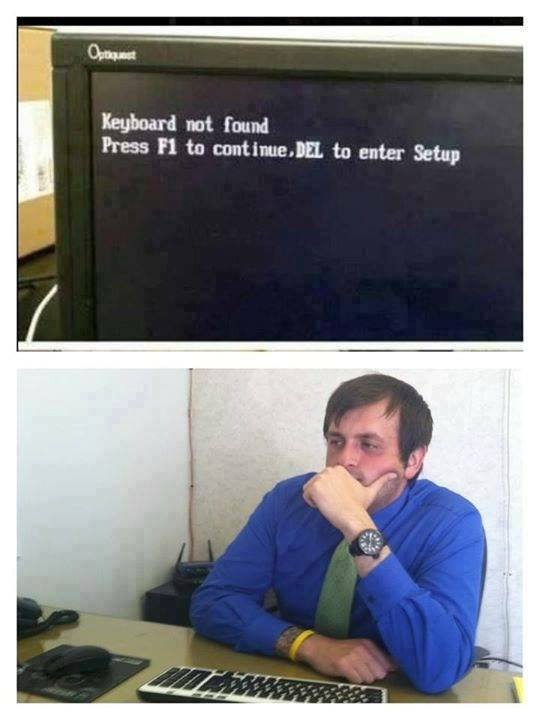
Calling Help Desk in 3, 2, 1…

1233423_358543160943692_1556329495_n